Gel-like Sediment in Alcohol-Based Perfume with 12H Fix and LipidSoft Lite
Question
- 12H Fix (0.8%): 3.84 grams
- LipidSoft Lite (1.6%): 7.68 grams
- Fragrance (25%): 120.0 grams
- Alcohol (72.6%): 348.48 grams
Mixing steps (method)
Dissolve the base (Phase A):
Add 12H Fix and LipidSoft Lite to a beaker, heat (60-70°C), and stir until dissolved clear and uniform.Lower the temperature:
Remove from the hot plate and wait until it cools down to room temperature (do not skip this step at all).Add the fragrance:
Pour in the fragrance oil and stir to combine.Add the solvent:
Add alcohol (DEB96) last, stirring gently until the liquid is clear and well combined.Rest and age:
Cover and leave at room temperature for 12-24 hours until all bubbles collapse, then put into the normal refrigerator compartment to age the scent.
The problem I found is that it still has sediment like jelly.
Answer
The gel-like sediment is most likely a compatibility/solubility issue after alcohol dilution and cold aging, not necessarily a damaged 12H Fix™.
Key points from your formula:
- Your ratio of 12H Fix™ 0.8% : LipidSoft™ Lite 1.6% = 1 : 2 is already aligned with the product guidance for dissolving 12H Fix™ with about 2× LipidSoft™ Lite.
- However, “clear while hot / clear in the premix” is different from “stable after adding alcohol and after cooling.” Once alcohol is added, the solvent balance changes and some fragrance/fixative/oil components can fall out.
- If using 96% alcohol at 72.6%, it brings about 2.9% water into the total formula. This amount of water can trigger clouding or jelly-like precipitation with some fragrance oils/fixative systems, especially at low temperature.
- Putting the batch in the refrigerator can accelerate precipitation. Use refrigeration as a stability test, not as a required aging step until the formula passes cold-compatibility testing.
Recommended troubleshooting:
Check the premix stage
- Heat 12H Fix™ + LipidSoft™ Lite at 60–70°C until fully clear with no undissolved particles.
- Add fragrance oil and confirm the premix remains clear before adding alcohol.
- If it clouds before alcohol, the fragrance is not compatible with this 12H Fix™/LipidSoft™ Lite level.
Change how alcohol is added
- Do not pour all alcohol at the end in one shot.
- Add alcohol gradually, for example 10–20% of the alcohol portion at a time, while mixing evenly. This helps reduce local “solvent shock.”
Do not refrigerate immediately
- Let the batch rest at room temperature first.
- Test cold storage separately: check clarity immediately, after 24 h at room temperature, and after 24–72 h cold storage.
Run small-batch screening before scaling
- Make 50–100 g trials using the same fragrance.
- Compare 12H Fix™ 0.2%, 0.4%, 0.8%, and 1.0%, keeping LipidSoft™ Lite at 2× the 12H Fix™ level.
- If needed, test LipidSoft™ Lite at 2.5–3× of 12H Fix™ as a trial only; then evaluate skin feel and clarity after alcohol addition.
Compare alcohol grades
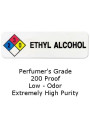
- Run the same formula with Ethyl Alcohol 99.9% / 200 proof versus Ethyl Alcohol 96%.
- If the 99.9% alcohol sample is much clearer, water from the 96% alcohol is likely a major trigger.
Run blank controls to locate the cause
- Fragrance + alcohol only
- 12H Fix™ + LipidSoft™ Lite + alcohol, without fragrance
- LipidSoft™ Lite + fragrance + alcohol, without 12H Fix™
Filtration can remove sediment after resting, but it will not fix the root cause if the system is still incompatible; the sediment may return.
Related Products Mentioned